

Import Attribute from Multiple Fields
By Casey

Sometimes, the same attribute data isn’t stored in one place across all merchants. One merchant might put color information in a color field, while another lists it in 'attributes' or 'tags.'
If you only import from one field, you could end up missing valuable data. By checking multiple fields, you can make sure your attributes are complete, no matter how each merchant structures their feed.
When importing attributes, you can specify multiple fields for the importer to check.
For example, if some merchants store gender in gender and others in attribute6, you can import from both using custom code found here (opens in a new tab).
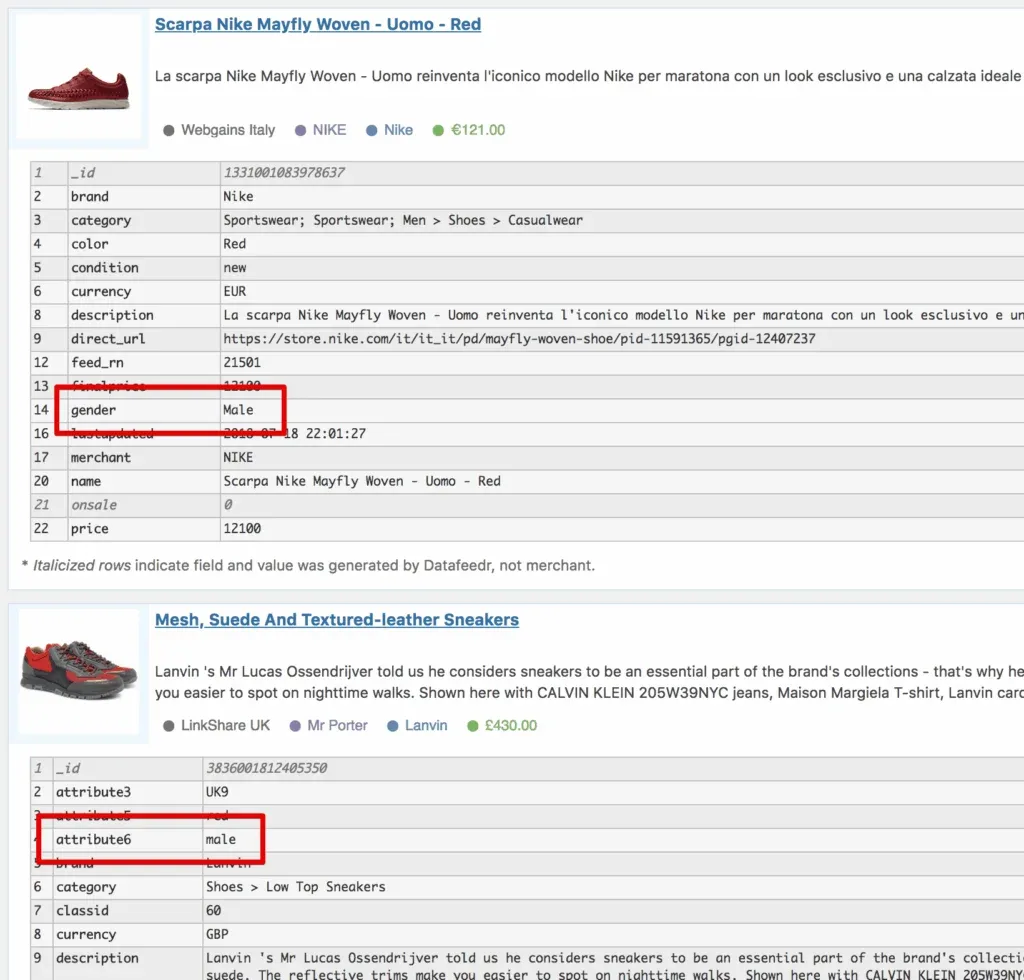
When your Product Sets update, the importer will first try to use the value from the gender field. If it’s empty or doesn’t exist, it will fall back to attribute6. If neither field is available, no attribute is imported.
Importing attributes from multiple fields keeps your data consistent, even when merchant feeds don’t match.
To learn more, click here (opens in a new tab).