

View and Export Affiliate Products from WooCommerce
By Casey
Products that you have added to your WooCommerce store through your Datafeedr Product Sets can be seamlessly viewed and exported.
Filter your WooCommece Store by Affiliate Products only
Under WordPress Admin > Products you can view all the products you have added to your WooCommerce Store.
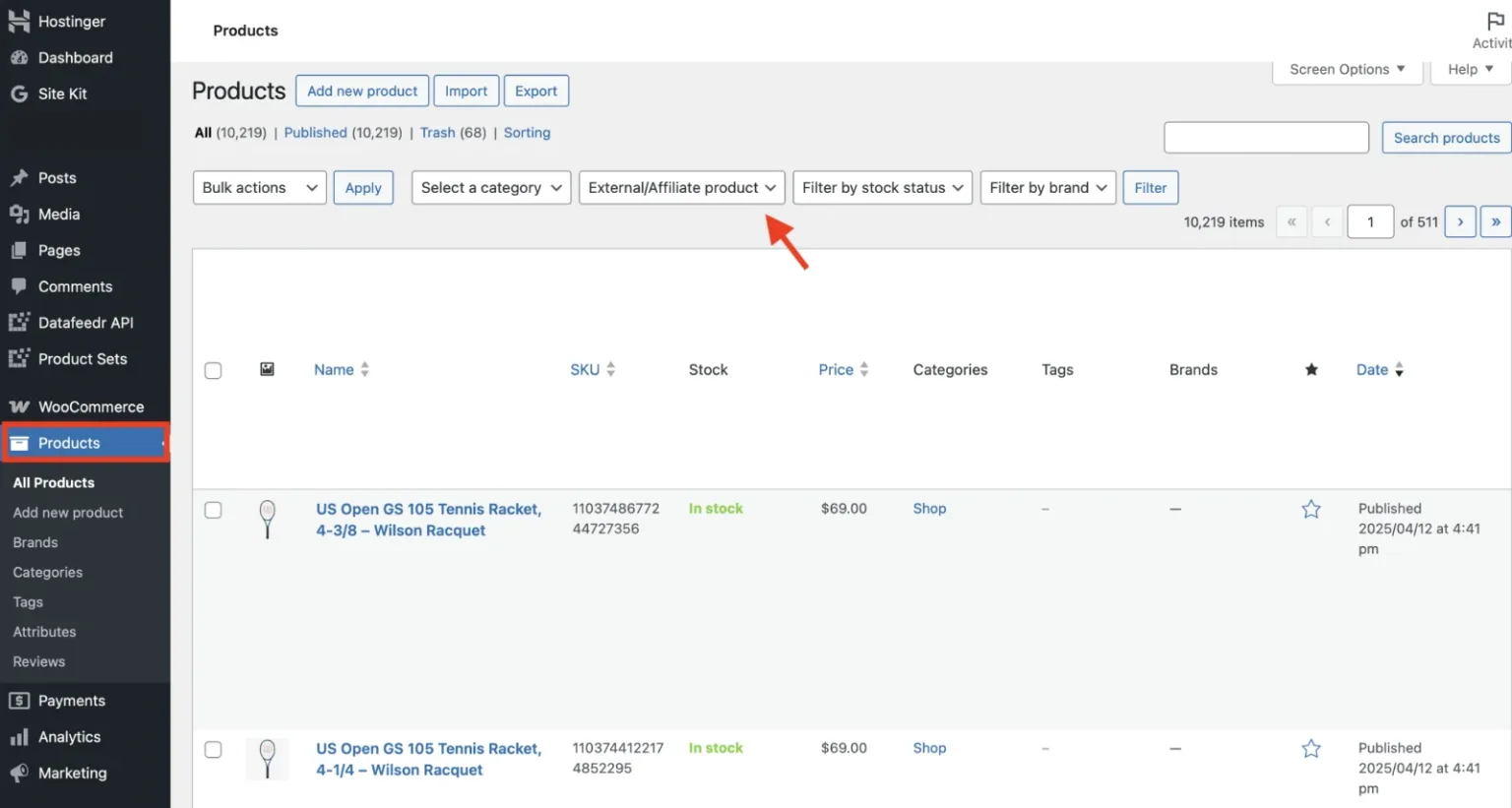
To filter by affiliate products, click filter > External/Affiliate products.
This narrows your view to the affiliate products, making it easier to manage and/or make changes without sifting through your entire WooCommerce catalog.
Export products from WooCommerce
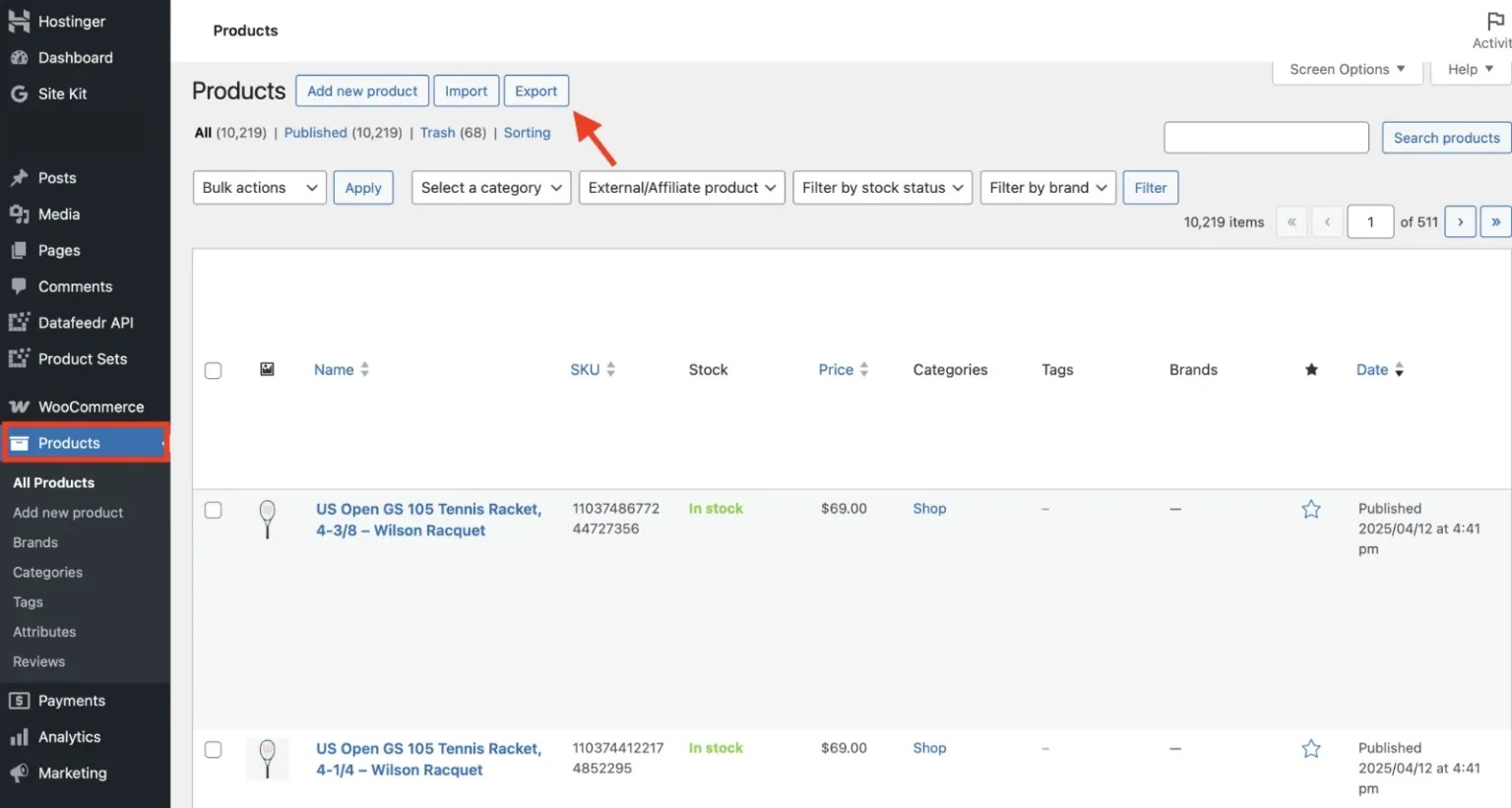
Under WordPress Admin > Products you can also export the products you have added to your WooCommerce Store.
Simply click Export on that page to download your product list.
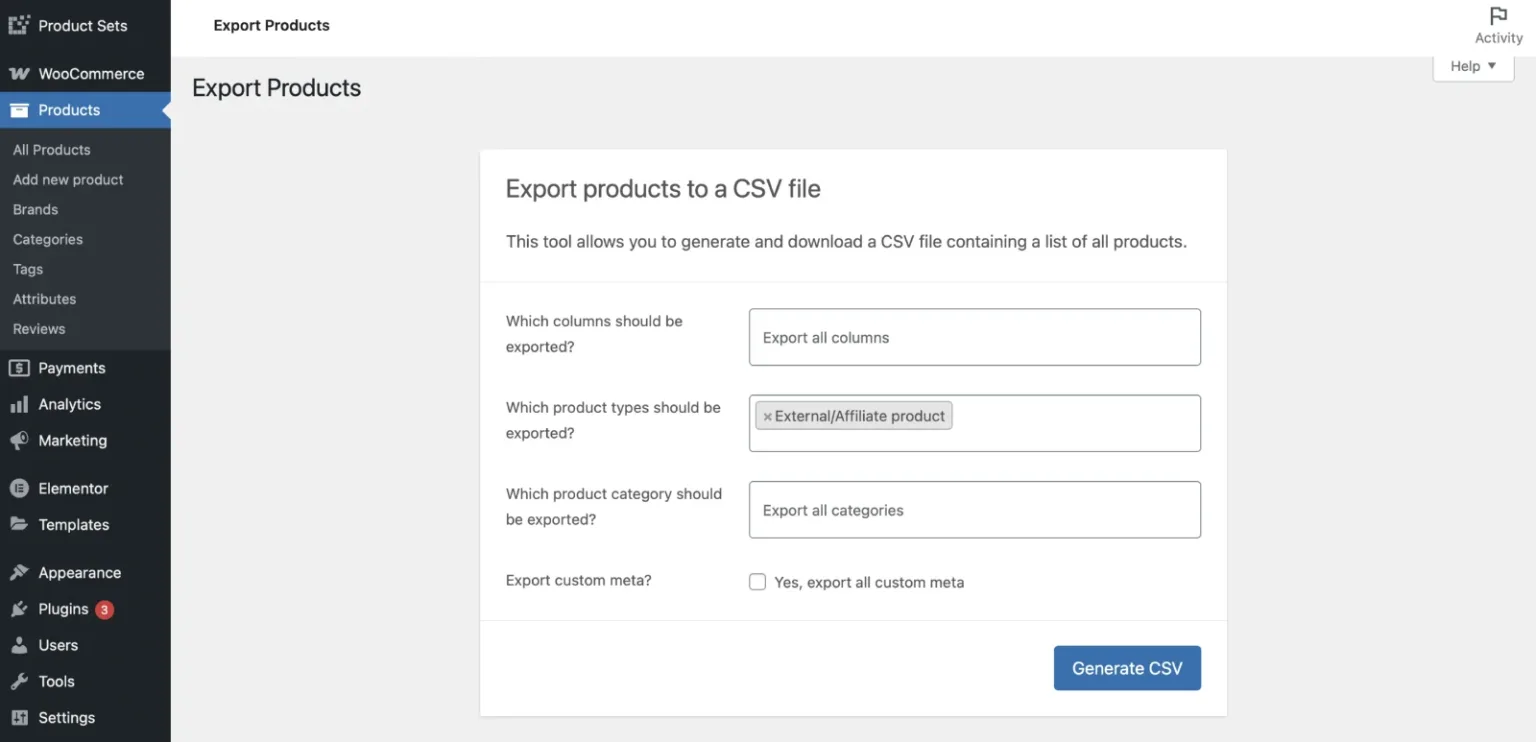
To export only Affiliate products, select External/Affiliate product on the export page.
To learn more, view written documentation here (opens in a new tab).