

Create a Comparison Set with Only On Sale Products
By Casey
Displaying Comparison Sets on posts, pages, and other areas where WordPress shortcodes are allowed, can be accomplished using one or more shortcodes and filters. For a full list of the supported shortcodes, click here (opens in a new tab).
One available filter is the on sale filter.
This allows you to create a Comparison Set with only products that are currently on sale. To do this, all you have to do is create a Comparison Set (opens in a new tab) by name, barcode, etc. and then add the onsale filter.
For example, let's say you create a Comparison Set using a barcode of a specific product.
[dfrcs barcode= "611247389119"]The results in the Comparison Set display a bunch of different products. Some of these products are labeled as on sale, while other aren't.
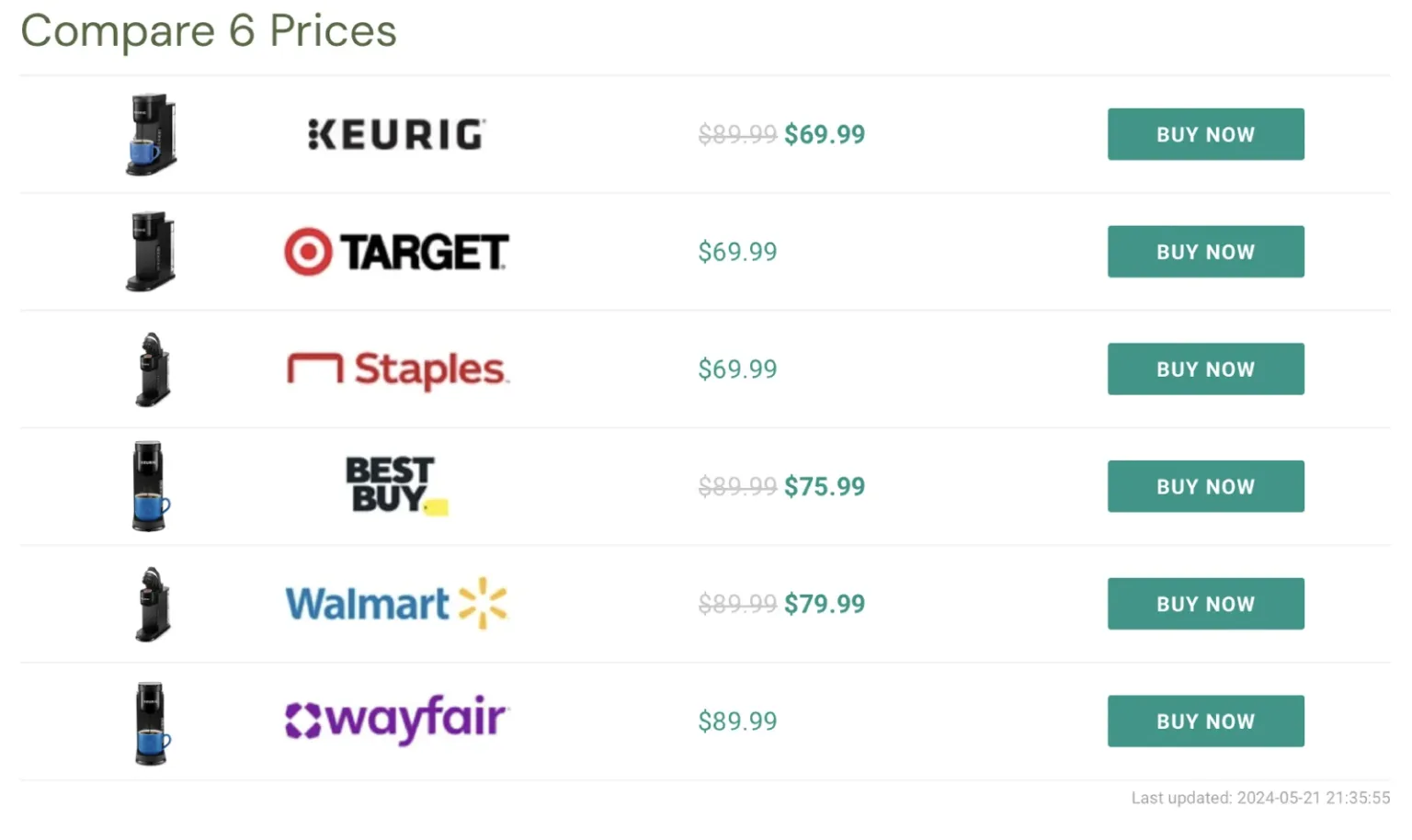
The onsale filter can quickly narrow down the results of the Comparison Set to only include on sale products.
Simply add the onsale filter (opens in a new tab) to your shortcode.
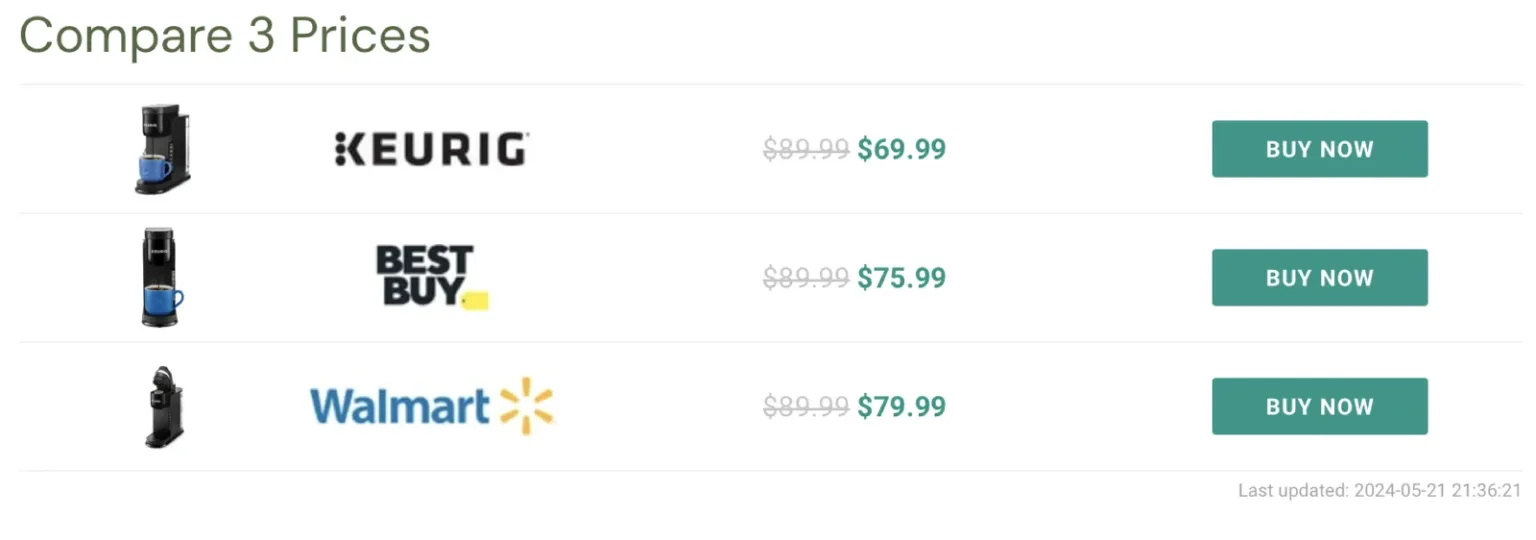
[dfrcs barcode= "611247389119" filters="onsale=1"]The Comparison Set will now only show the products that the merchants have labeled as being on sale.
To learn more about creating Comparison Sets, click here (opens in a new tab).